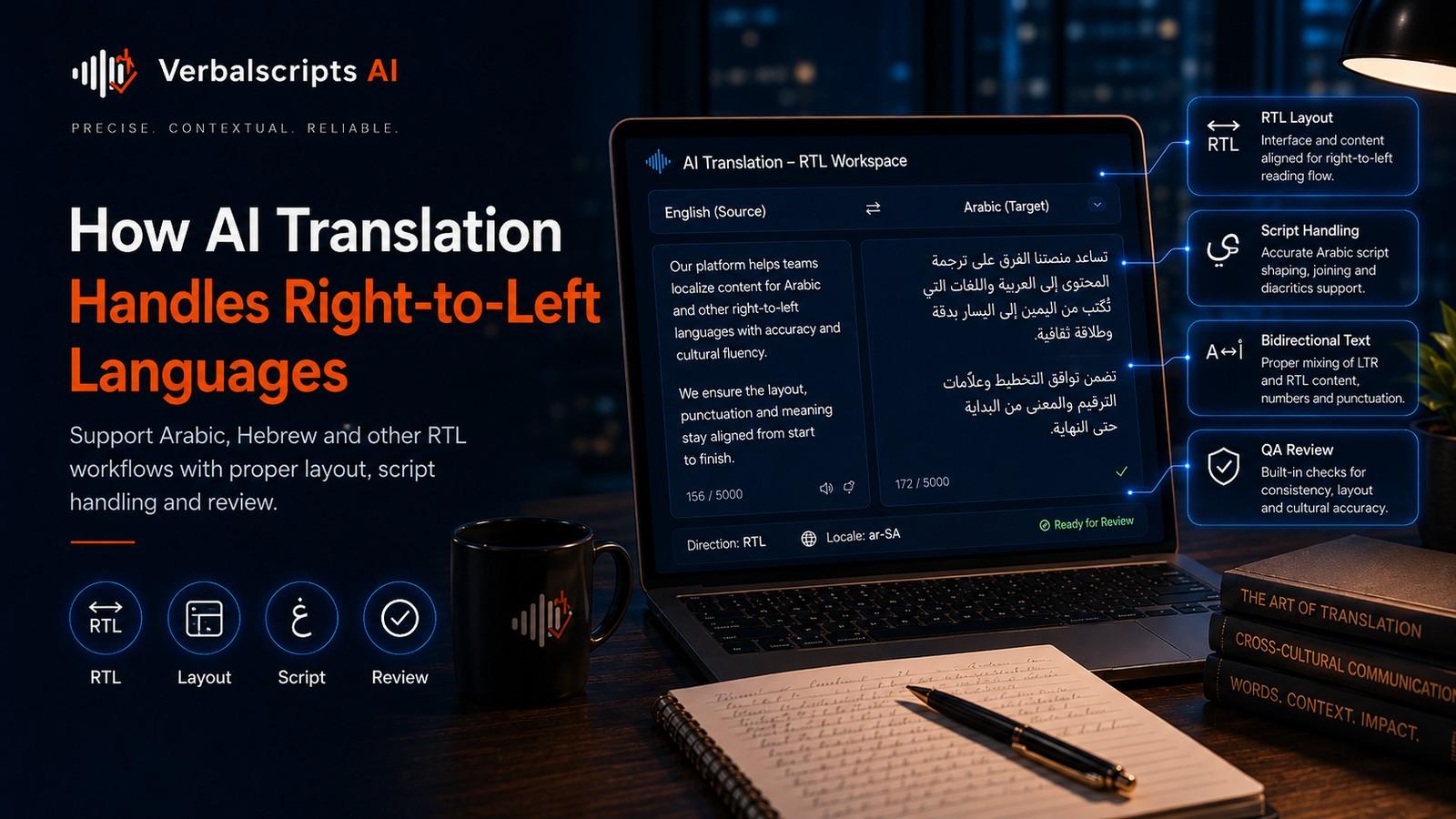
How should RTL translation projects be handled? Store text in logical Unicode order, declare direction explicitly in web/document formats, rely on the Unicode Bidirectional Algorithm for mixed-direction display, test numbers and embedded Latin text, use target-script fonts and perform visual/functional QA in the final application. Translation and layout should be reviewed separately because linguistically correct RTL text can still render incorrectly.
| SEO title | How to Work With Right-to-Left Languages in Translation Projects |
|---|---|
| Slug | right-to-left-languages-translation-projects |
| Meta description | Learn how to manage Arabic, Hebrew, Persian and other RTL translation projects using Unicode bidi rules, correct metadata, layout QA and mixed-direction testing. |
| Primary keyword | right to left translation projects |
| Search intent | How-to / Technical |
| Hero image | 194-right-to-left-translation-projects.jpg |
| Hero alt text | Right-to-left translation QA interface showing Arabic text, mixed Latin names, numbers and mirrored layout checks |
| Article body words | 1942 |
For production multilingual workflows, see our AI Translation service for the delivery path behind the guidance in this article.
Right-to-left language projects require both linguistic quality and correct text engineering.
Arabic, Hebrew, Persian, Urdu and other RTL-script languages are written primarily from right to left, but documents and applications often contain left-to-right material inside them: numbers, URLs, product names, formulas and English terminology.
That mixture is handled by bidirectional text algorithms, not by manually reversing strings.
Unicode Standard Annex #9 defines the current Unicode Bidirectional Algorithm used for determining visual ordering of mixed RTL/LTR text. Unicode Standard Annex #9 Revision 51 corresponds to Unicode 17.0.0 and is dated 2025-08-13.
RTL is not reversed text
Do not reverse:
مرحبا
as a string before storing.
Unicode text is stored in logical sequence.
The rendering engine determines visual order.
Manual reversal breaks:
- copy/paste;
- search;
- screen readers;
- punctuation;
- numbers.
Bidirectional text
An Arabic sentence may contain:
- Verbalscripts AI;
- 2026;
- support@example.com.
Those runs have different directionality.
The Unicode Bidirectional Algorithm assigns embedding levels and determines display.
Direction belongs primarily to script
W3C emphasizes that writing direction is related to script rather than language names alone.
Some languages can be written in multiple scripts.
Do not build rules such as:
if language == "x" reverse.
Use actual content/script and locale metadata.
HTML direction
Use:
dir="rtl"
on the appropriate container.
Use lang separately.
Example conceptually:
<html lang="ar" dir="rtl">
The attributes have different jobs:
- lang → language;
- dir → direction.
dir=auto
For user-generated content with unknown direction, dir="auto" can be useful in HTML.
Test the component.
It is not a substitute for known page-level direction.
Inline mixed direction
Small embedded LTR strings can cause punctuation to appear surprising.
Use semantic bidi isolation/markup rather than inserting random directional control characters.
W3C internationalization guidance provides patterns.
Numbers
Arabic-script paragraphs often contain numbers rendered left-to-right.
Check:
- dates;
- phone numbers;
- prices;
- percentages.
The visible position of punctuation around numbers can confuse users if markup is wrong.
Numeral systems
Some locales display:
- Latin digits;
- Arabic-Indic digits.
This is a locale policy.
Do not assume every Arabic-language market wants the same numeral style.
Use locale specifications.
URLs
URLs are generally LTR.
Test:
- line wrapping;
- punctuation;
- copy.
Do not translate domain/path unless localization architecture requires.
Email addresses
Also LTR.
Use bidi-safe rendering.
A misplaced period can make address visually confusing.
Product names
Many products retain Latin script.
The sentence becomes bidirectional.
A glossary should decide:
- retain;
- transliterate;
- translate.
Punctuation
Parentheses and brackets can mirror depending on bidi context.
Do not manually swap them blindly.
Unicode includes paired-bracket handling.
UI mirroring
An RTL interface often mirrors:
- navigation;
- sidebars;
- directional layout.
But not every element.
Usually do not mirror:
- logos;
- media play direction;
- charts with inherent axes;
- clocks.
Use component-level policy.
Icons
Directional icons such as:
- next;
- back
may need mirroring.
Semantic/non-directional icons do not.
Test with UX designers.
Tables
Question:
Should table columns mirror?
Depends on:
- content;
- convention.
Data tables with chronological columns may remain order-specific.
Do not globally reverse DOM children.
Forms
RTL forms need:
- label alignment;
- input direction.
Some fields such as:
- email;
- phone;
- code
remain LTR.
Use field-specific direction.
Word documents
DOCX supports paragraph direction.
After translation check:
- lists;
- tables;
- headers;
- footnotes.
Fonts must support target script.
PDFs
PDF reconstruction can be difficult because source LTR design is fixed.
Prefer editable source when available.
Visual QA is essential.
PowerPoint
Slides may need:
- mirrored visual hierarchy;
- right-aligned text.
Automatic text translation may not redesign the slide.
Use designer review.
Spreadsheets
Consider:
- sheet direction;
- column expectations.
Excel supports RTL sheet display in some locales.
Do not alter formulas.
Subtitles
RTL subtitles require:
- correct Unicode;
- player support;
- punctuation.
Test in actual player.
Search
Store logical text.
Search/indexing works from code-point order, not visual order.
Manual reversal destroys search.
Accessibility
Screen readers depend on:
- logical order;
- language metadata.
Visual hacks can create inaccessible text.
Use semantic markup.
Security
Bidirectional control characters can be abused to make text appear different from logical order.
Unicode maintains security guidance.
Be cautious when displaying:
- filenames;
- code;
- identifiers.
QA checklist
Language
- grammar;
- terminology.
Direction
- paragraph RTL;
- embedded LTR.
Data
- numbers;
- URLs;
- emails.
Layout
- tables;
- icons;
- navigation.
Accessibility
- lang/dir;
- logical DOM.
Common mistakes
CSS text-align:right only
Alignment is not direction.
Reversing string
Breaks logical text.
Mirroring everything
Damages semantically fixed controls.
Random bidi marks
Creates fragile fixes.
Ignoring mixed content
Real enterprise content is never purely RTL.
RTL source-authoring strategy
Design templates with RTL localization in mind before translation:
- use logical CSS properties;
- avoid hard-coded left/right placement;
- use real lists and tables;
- keep editable source files;
- use fonts with Arabic/Hebrew coverage;
- separate text from images.
This reduces costly re-layout after translation.
Bidi-safe identifiers
Security-sensitive identifiers such as:
- usernames;
- filenames;
- code;
- account IDs
should often be displayed in a controlled LTR or isolated context even on RTL pages. This reduces visual ambiguity.
Do not insert invisible control characters into stored identifiers as a formatting shortcut.
Arabic-script font shaping
Arabic-family scripts require contextual shaping. Modern rendering engines handle this automatically when the font supports the script.
Do not convert text into pre-shaped presentation forms or images. Store normal Unicode characters and let the shaping engine render them.
This preserves:
- search;
- copy/paste;
- accessibility.
Diacritics
Arabic and Hebrew may include optional or specialized diacritics. Ensure fonts and line-height support them without clipping.
If the source uses diacritics materially, translation QA should not strip them automatically.
Mixed-language tables
A financial table may have RTL labels and LTR numbers. Decide whether column order follows target reading direction or fixed business logic.
For example, a chronological time series may retain left-to-right date progression even on an RTL page depending on product conventions.
Test with real users or established locale design patterns.
PDF export QA
After generating a PDF from RTL DOCX/PPTX or web content:
- search/select text;
- copy a mixed-direction sentence;
- inspect punctuation;
- verify fonts embedded;
- verify form fields/links.
A visually correct PDF can still have broken logical text order.
Email and plain-text limitations
Plain-text email clients provide less control over bidi isolation than HTML. Keep mixed identifiers on separate lines where possible and test major clients for mission-critical communication.
Localization reviewers versus RTL engineers
A native Arabic reviewer can identify linguistic issues but may not diagnose a CSS bidi bug. The final QA team needs both language and frontend/document expertise.
Separating responsibilities speeds root-cause resolution.
Automation checks
A web CI pipeline can render RTL screenshots and detect:
- overflow;
- wrong alignment;
- mirrored icons;
- clipped text.
Automated screenshot tests do not replace native review but prevent regression.
Final principle
RTL translation succeeds when logical text, semantic direction and visual design agree. Fix direction in the markup/layout layer, not inside the content string.
RTL localization of design systems
A design system should define RTL behavior once for reusable components:
- navigation;
- cards;
- forms;
- breadcrumbs;
- pagination;
- dialogs;
- tables.
Each component can specify:
- mirrored layout yes/no;
- text direction;
- icon behavior;
- LTR subfields.
This is more reliable than fixing every Arabic page individually.
Logical CSS properties
Modern CSS supports logical properties such as:
- margin-inline-start;
- padding-inline-end;
- border-start-start-radius.
These adapt to writing direction automatically. Replacing hard-coded left/right properties reduces duplicate RTL styles and regression risk.
Forms with mixed-direction fields
An Arabic form may contain:
- Arabic name field → RTL;
- email → LTR;
- password → LTR/neutral;
- phone → LTR;
- address → RTL with numeric components.
Set direction per field rather than inheriting one rule blindly from the page.
Cursor and editing behavior
QA should include actual text editing, not only rendering. Test:
- arrow keys;
- Home/End;
- selection;
- deletion around punctuation;
- paste of mixed text.
Bidi defects often appear only when users interact with the field.
RTL email templates
Transactional email clients vary in HTML/CSS support. Test major clients for:
- paragraph direction;
- buttons;
- numbers;
- URLs;
- table-based layouts.
A browser-perfect template may render differently in email.
Arabic/Hebrew PDF generation
Headless PDF tools may substitute fonts or flatten text unexpectedly. Verify:
- glyph shaping;
- searchability;
- selectable text;
- logical copy order.
Use PDF screenshots plus text extraction/copy checks.
Mirroring illustrations
Directional illustrations can require redesign. Examples:
- user journey arrows;
- process flows;
- before/after diagrams.
However, a map, clock or product screenshot may have fixed semantics and should not be mirrored automatically.
Create an asset-level mirroring policy.
RTL charts
Charts require context-specific decisions. Axis direction, time progression and data order may follow analytical conventions rather than reading direction.
Translate labels but preserve data semantics. Test with local domain users for complex dashboards.
Source files for translators
Give reviewers editable RTL-capable files. If a PDF is the only source, translation reflow can be expensive and error-prone.
Localization-friendly authoring should be part of the content-production standard.
Bidi security
Mixed-direction control characters can make file paths or code appear misleading. Applications that display security-sensitive identifiers should sanitize or visibly isolate directionality according to Unicode security guidance.
Translation teams should avoid inserting invisible controls manually unless the implementation follows a documented bidi strategy.
Accessibility testing
Use:
- screen reader;
- keyboard navigation;
- zoom.
Confirm that DOM/reading order follows logical content. A visually mirrored page can still have an LTR accessibility tree if the source order was hacked purely with CSS.
Regression testing
Maintain automated RTL screenshots for representative components and manually inspect mixed-direction edge cases after design-system changes.
A strong RTL platform treats direction as a core dimension of layout, not an optional localization patch.
Final RTL release gate
Before publishing an RTL asset, test at least one realistic mixed-direction example containing a number, an English product name and a URL. If that combination renders and copies correctly across the supported environments, many of the most common bidi failures have been exercised.
Implementation takeaway
For production use, treat standards-based bidi layout, mixed-direction identifiers and accessibility testing as measurable parts of the workflow rather than assumptions. Define the relevant policy before processing content, keep the model or data configuration versioned, and verify results on representative material from the actual language, locale and domain. If automation produces a result that conflicts with a deterministic rule, authoritative terminology or qualified human evidence, escalate the item instead of averaging the disagreement away. The most durable multilingual systems preserve source-to-target traceability, record exceptions and feed reviewed corrections back into benchmarks, glossaries or routing rules. That discipline makes quality improvements reproducible when models, providers, reviewers or source content change.
Frequently asked questions
Is Hebrew or Arabic stored backwards?
No. Unicode stores logical text; rendering determines visual order.
Does text-align:right make text RTL?
No. Set direction.
Should all icons be mirrored?
No. Only directional semantics where appropriate.
Why do URLs look strange in RTL text?
They are LTR runs inside RTL context; correct bidi isolation/markup matters.
What standard controls bidi display?
Unicode Standard Annex #9.
Conclusion
RTL localization is a collaboration between translators, engineers and designers.
Keep text in logical Unicode order, use standards-based bidirectional rendering and test the final experience with real mixed-direction content.
The goal is not to make an LTR layout “look reversed.” It is to build a native, accessible RTL experience.
Research references
- Unicode Standard Annex #9: Bidirectional Algorithm:
- W3C, Handling RTL scripts in HTML:
- W3C, Visual vs logical ordering:
- W3C, Declaring language in HTML: