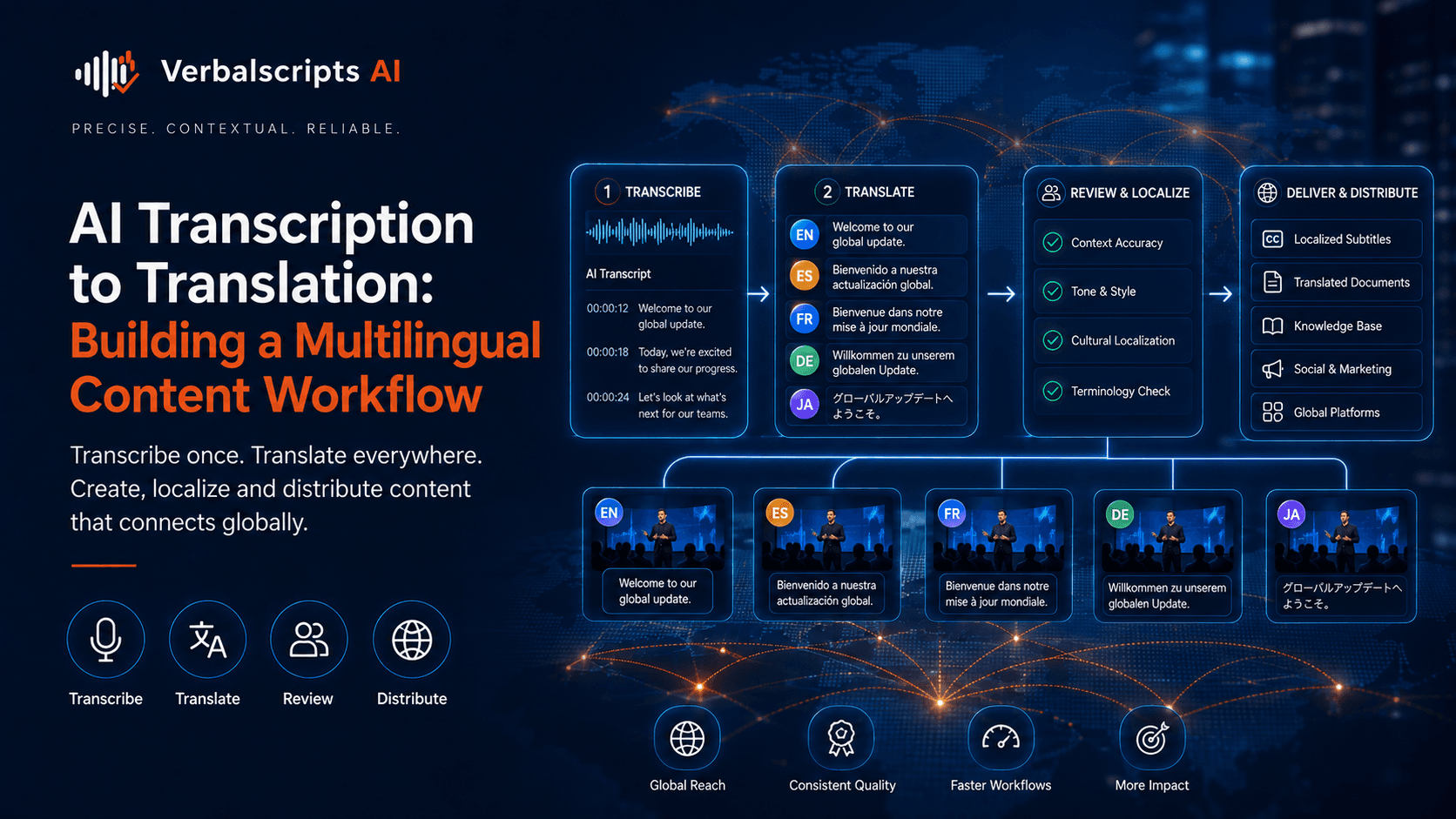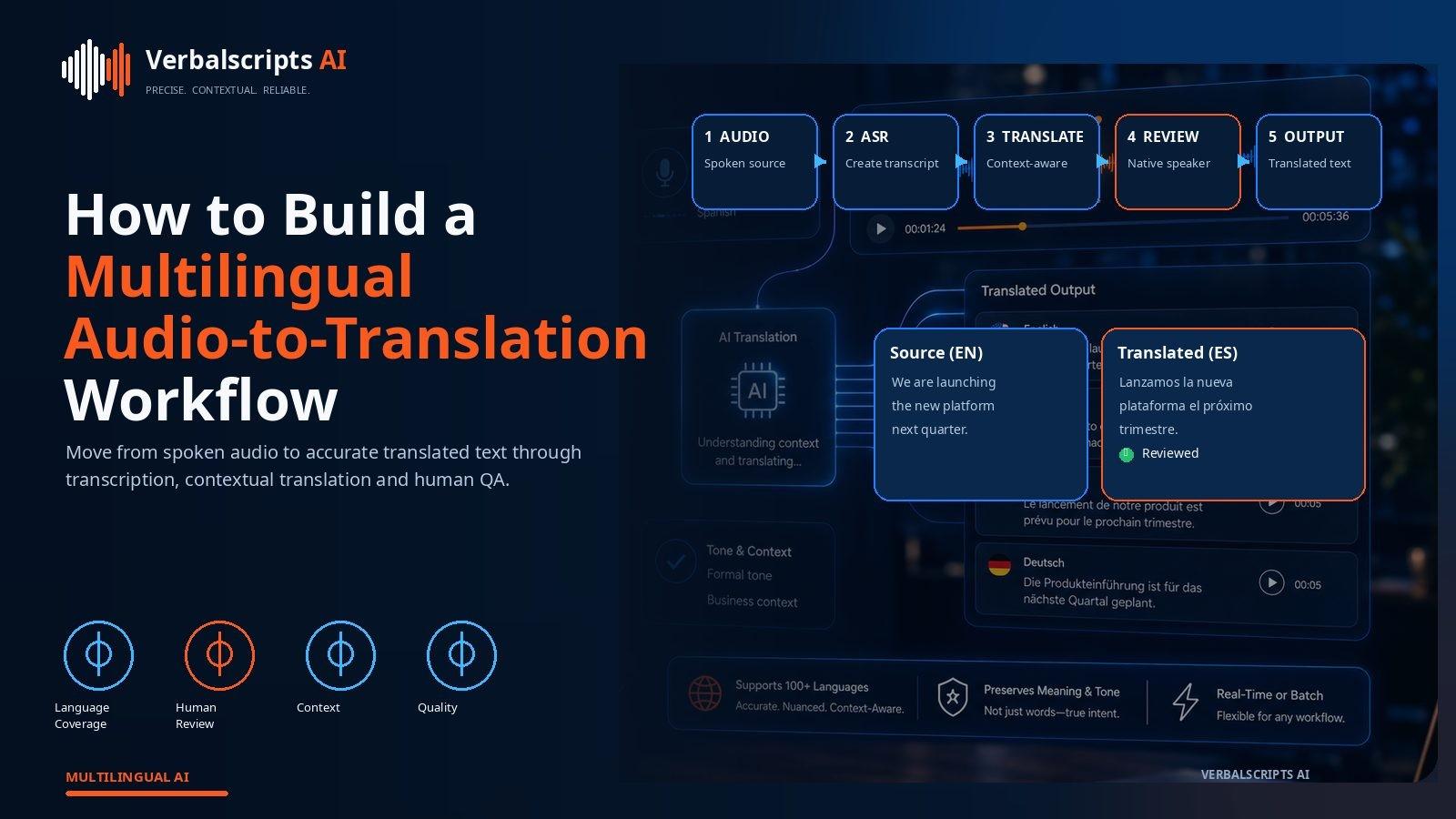
What is the best workflow for AI audio translation? First generate a timestamped source-language transcript, then translate it with document-level context and terminology, then review the translated output against both the source transcript and the audio where necessary. Preserve speaker labels, names, numbers and timestamps throughout. For high-volume work, automate routine checks and route uncertain or high-risk segments to human reviewers.
Audio translation is most reliable when transcription, translation and review are treated as one connected workflow rather than three unrelated tasks.
For production speech-to-text workflows, see our AI Transcription service for the delivery path behind the guidance in this article.
A speech recognizer can make a mistake before translation begins. A translation engine can then render that mistake fluently. A reviewer who sees only the final target text may never realize that the source was misheard.
A unified workflow preserves the full chain from sound to final language.
This creates a transparent quality chain rather than a black box.
Why the workflow should be integrated
The audio-translation pipeline has several dependencies:
audio quality → recognition quality → transcript quality → translation quality → review quality
If any stage fails, later stages inherit the error.
An integrated platform can carry metadata forward:
- timestamps;
- speaker identity;
- confidence;
- language labels;
- terminology decisions.
That makes review faster and more accurate.
Stage 1: audio intake
At intake, record:
- filename;
- duration;
- source language;
- target language;
- domain;
- expected speakers;
- confidentiality level;
- output format.
This metadata determines how the rest of the workflow should behave.
Stage 2: audio preprocessing
Audio preprocessing can improve recognition when recordings are difficult.
Possible steps include:
- channel separation;
- volume normalization;
- basic noise reduction;
- silence trimming;
- format conversion.
Avoid aggressive processing that distorts speech.
If the recording contains separate speaker channels, preserving them can improve diarization and review.
Stage 3: source-language speech recognition
The transcript should ideally include:
- timestamps;
- punctuation;
- paragraph boundaries;
- speaker labels;
- confidence or uncertainty markers.
The source transcript is the foundation of everything that follows.
For professional work, do not discard it after generating the translation.
Stage 4: language identification
Automatic language identification is useful for:
- unknown recordings;
- multilingual calls;
- code-switching.
But the system should allow explicit source language when known.
Microsoft’s Azure Speech translation guidance distinguishes a full recognition locale from the target translation language. This illustrates why language setup should be explicit rather than hidden.
Stage 5: speaker diarization
Translated conversation is difficult to use without knowing who is talking.
Speaker diarization can separate:
- interviewer and participant;
- agent and customer;
- multiple meeting attendees.
Diarization is not perfect. When speaker identity matters, a human should verify labels.
Stage 6: transcript cleanup
Before translation, clean obvious transcription defects:
- repeated fragments;
- incorrect punctuation;
- merged speakers;
- clear recognition errors.
Do not over-edit.
If the transcript is evidentiary or research-oriented, preserve the original speech style according to the project’s rules.
Stage 7: terminology preparation
Specialized audio needs a termbase.
Examples:
- medical interview;
- legal deposition;
- financial earnings call;
- technical training;
- product demo.
Terminology may include both source spellings and approved target-language equivalents.
Stage 8: translation
Translate in context.
Context can include:
- full speaker turn;
- neighboring turns;
- topic;
- project glossary;
- earlier entity references.
Segment-level translation alone can produce inconsistent pronouns, names and terminology.
Stage 9: automated QA
Automated checks can catch:
- number mismatches;
- missing timestamps;
- untranslated source text;
- inconsistent names;
- glossary violations;
- missing speaker labels.
Automation is especially useful in long recordings where reviewers otherwise spend time finding mechanical errors.
Stage 10: human review
Human reviewers should compare:
- source transcript;
- target translation;
- audio when needed.
The reviewer should focus on:
- unclear audio;
- low-confidence words;
- names;
- numbers;
- terminology;
- idioms;
- ambiguous statements.
Not every second of clean audio needs the same review intensity.
Risk-based review
A useful tiering model is:
Low risk
Internal meeting recordings, routine interviews, draft content.
Medium risk
Customer-facing transcripts, public media, research data.
High risk
Legal, medical, financial, regulatory or safety-critical audio.
Human review depth should increase with risk.
Source transcript versus translated transcript
Keep both.
The source transcript is useful for:
- verification;
- correcting later errors;
- alternate translations;
- research traceability.
The translated transcript is useful for:
- target-language readers;
- subtitling;
- localization;
- analysis.
Never make the translated version the only surviving record unless the workflow intentionally permits it.
Timestamp preservation
Timestamps are valuable for:
- media review;
- citations;
- subtitle generation;
- legal or research reference.
If translation expands the text, timestamps still refer to the original audio timeline.
This is one reason sentence boundaries should not be radically restructured without considering timing.
Speaker labels
Speaker labels should remain stable across languages.
For example:
- Interviewer;
- Participant;
- Speaker 1;
- Speaker 2.
If names are verified, they can replace generic labels.
Do not let the translation model translate a personal name or label inconsistently.
Translation review interfaces
An ideal reviewer sees three aligned panes:
- audio waveform and playback;
- source transcript;
- target translation.
This makes it easy to investigate a suspicious sentence without searching manually through the recording.
Review tools can also highlight:
- low-confidence recognition;
- terminology matches;
- edits;
- missing segments.
Batch audio translation
Organizations may need to process:
- hundreds of calls;
- interview collections;
- podcast archives;
- training libraries.
Batch workflows need:
- file-status tracking;
- retry logic;
- language metadata;
- output naming;
- review assignment;
- versioning.
A dashboard should distinguish:
- transcription complete;
- translation complete;
- review required;
- approved.
Multilingual output
Once the source transcript is verified, translating into several languages becomes much more efficient.
One high-quality source transcript can support:
- Spanish;
- French;
- German;
- Arabic;
- Japanese;
- other target languages.
Each target still needs its own terminology and review strategy.
Audio translation for customer service
In customer-service environments, speed matters.
A workflow can:
- translate incoming speech or transcript;
- help the agent understand the issue;
- generate a translated response;
- preserve a bilingual record.
Sensitive customer data requires appropriate privacy controls.
Audio translation for legal content
Legal recordings need:
- strict source accuracy;
- speaker attribution;
- exact dates and names;
- preserved uncertainty.
Reviewers should return to the audio whenever the transcript is unclear.
AI can accelerate the process, but evidentiary audio should not be treated casually.
Audio translation for medical content
Medical audio may contain:
- drug names;
- symptoms;
- dosage;
- procedure terminology.
These areas deserve domain review.
A misrecognized drug name is dangerous because the translation system may render it confidently into another language.
Privacy and security
Audio often contains more identifying information than text.
Controls may include:
- encryption;
- restricted access;
- retention limits;
- deletion;
- PII masking;
- reviewer permissions.
If the recording is confidential, choose an approved platform rather than a consumer tool with unclear data terms.
Measuring quality
Track separate metrics for:
- word recognition;
- translation adequacy;
- entity accuracy;
- terminology accuracy;
- reviewer edit rate;
- turnaround time.
This helps identify whether problems come from audio, speech recognition or translation.
Common workflow mistakes
Translating before validating the source
Recognition mistakes become embedded in the translation.
Losing timestamps
The output becomes harder to verify.
Ignoring speaker structure
Dialogues become confusing.
Reviewing only the target
Source errors remain invisible.
Treating every recording equally
Review resources are wasted on clean low-risk audio while difficult segments receive too little attention.
A mature workflow
A mature organization gradually builds:
- approved source corrections;
- terminology;
- named-entity lists;
- reviewer guidance;
- domain benchmarks;
- quality dashboards.
AI then becomes more useful over time because the workflow learns from real corrections.
Designing the reviewer handoff
A common source of wasted time is giving reviewers a target transcript with no context. The reviewer then has to search manually for the source audio, locate the right time and reconstruct what happened.
A better reviewer handoff includes:
- clickable timestamps;
- source and target text side by side;
- speaker labels;
- low-confidence flags;
- glossary terms;
- an audio player positioned at the same timecode.
This turns review from detective work into focused verification.
Segment-level status and audit trails
For high-volume production, each segment can carry a status such as:
- automatically transcribed;
- source verified;
- translated;
- target reviewed;
- final.
An audit trail records who changed what and when. This is particularly useful in regulated, legal or research environments where the team may need to explain how the final text was produced.
Even in ordinary business work, version history prevents the common problem of multiple people editing different copies of the same transcript.
Handling overlapping speech
Cross-talk is one of the hardest speech-processing conditions. When two people speak at the same time, a recognizer may:
- merge the words;
- drop one speaker;
- assign text to the wrong speaker.
For important recordings, reviewers should revisit overlap zones in the audio. If the voices cannot be separated reliably, the transcript should mark the uncertainty rather than forcing a clean sentence.
Channel-aware workflows
Some recordings provide separate audio channels for each participant. This is valuable because the system can process each channel independently before combining the transcript.
Channel separation can improve:
- speaker attribution;
- recognition;
- review.
Contact-center recordings often use this structure, making them well suited to automated multilingual pipelines.
Quality sampling for large collections
Reviewing every word may be unnecessary for low-risk, high-volume archives. Teams can use sampling strategies:
- review every file for names and numbers;
- fully review a percentage of files;
- automatically route low-confidence segments;
- fully review only priority recordings.
The sampling plan should be based on measured error rates, not intuition.
If the measured quality declines for a language, domain or recording source, increase review coverage.
Reusing corrections
Reviewer edits are valuable data.
Common corrections can update:
- custom vocabulary;
- glossaries;
- named-entity dictionaries;
- prompt instructions;
- QA rules.
Over time, the system should make fewer repeat mistakes. If the same product name is corrected in every project, the workflow is failing to learn from human effort.
Deliverable formats
Depending on the use case, final output may be:
- DOCX transcript;
- TXT;
- bilingual table;
- SRT;
- WebVTT;
- JSON;
- searchable database entries.
Choose a format that preserves the information downstream teams need. A beautifully formatted Word transcript may be ideal for legal review but poor input for an automated subtitle pipeline. Structured JSON may be perfect for software but inconvenient for a client reviewer.
Operational ownership
A scalable workflow needs clear ownership. Someone should be responsible for:
- source transcription quality;
- terminology;
- target-language review;
- security;
- final approval.
One person can hold several roles on a small project. The important point is that the responsibility is explicit rather than assumed.
Frequently asked questions
Is transcription always necessary before audio translation?
A visible transcript is not always required, but preserving a source-language representation greatly improves review and traceability.
Can one reviewer check both transcription and translation?
Yes, if the reviewer is qualified in the source and target languages and can work with audio. Larger projects may separate the roles.
Should timestamps be translated?
No. Timing metadata should be preserved.
Can this workflow be automated?
Much of it can: recognition, translation, terminology checks and routing. High-risk verification still benefits from humans.
What is the main advantage of a unified workflow?
Errors can be traced to the stage where they occurred instead of being hidden inside the final translation.
Conclusion
The most reliable AI audio translation workflow is transparent from beginning to end.
Preserve the transcript, speakers and timestamps. Translate with context and terminology. Automate predictable checks. Let humans investigate uncertainty and high-risk content.
That combination gives organizations the speed of AI without losing the evidence trail needed for trustworthy multilingual audio.
Research references
- Microsoft Learn, Speech translation quickstart:
- Microsoft Learn, Azure Speech language support:
- Microsoft Support, Live translated transcription in Teams: